Engineering
Building Pulse Notch: live WHOOP heart rate on macOS
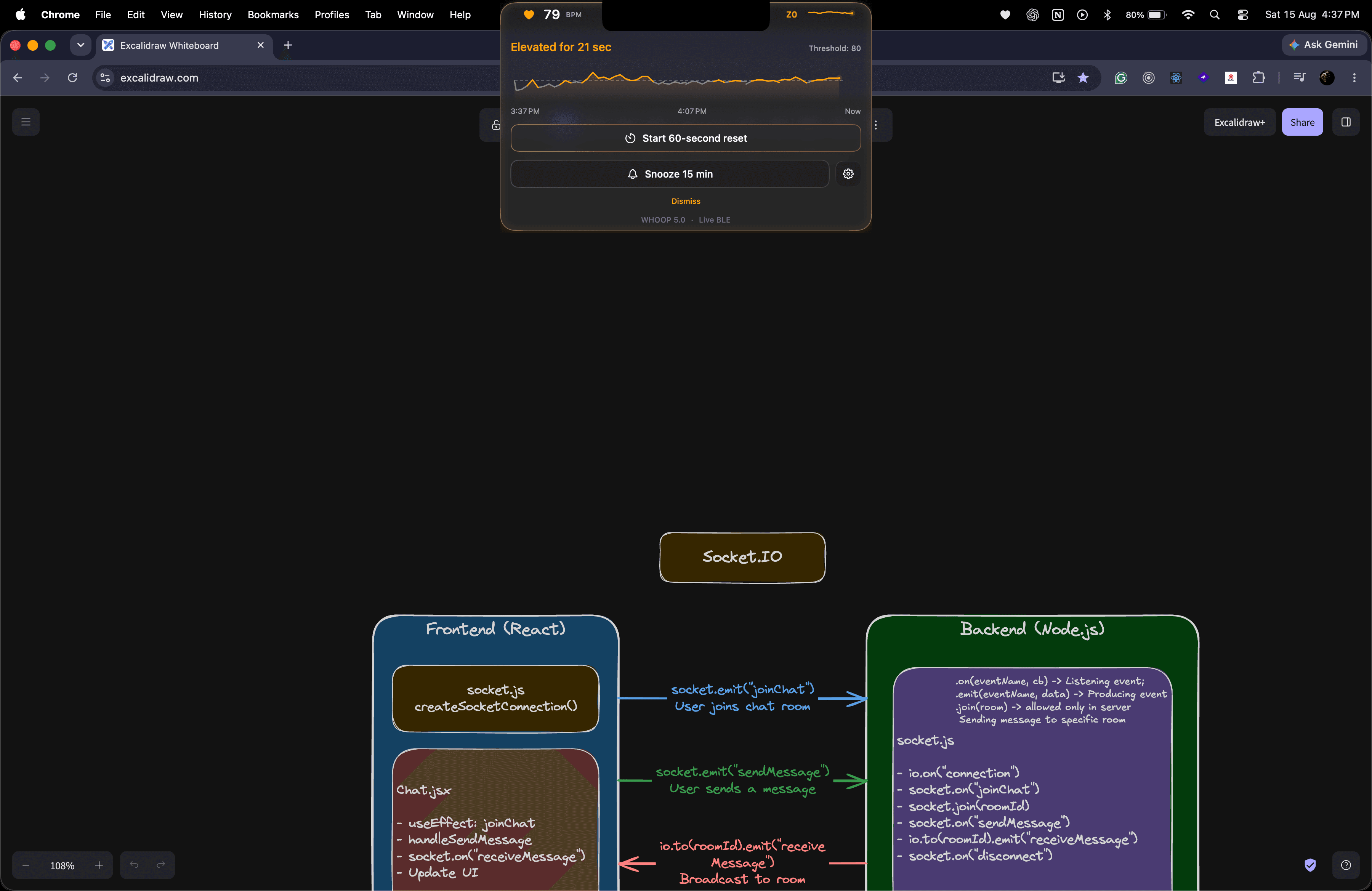
Why I built it
WHOOP captures heart rate continuously, but I wanted a calmer way to see it while working: no dashboard, no phone, just a small live signal around the MacBook camera cutout.
That became Pulse Notch — a native macOS app that shows live BPM, a heart-rate zone, and a user-set attention threshold.
Getting live heart rate
The WHOOP cloud API is useful for processed data such as workouts, recovery, and sleep. It does not provide a continuous live heart-rate stream. Live BPM instead comes directly from WHOOP's Bluetooth Heart Rate Broadcast.
Pulse Notch uses Apple's CoreBluetooth framework to:
- Scan for devices offering the standard Heart Rate Service (
0x180D) - Show the compatible devices and let the user choose one
- Subscribe to the Heart Rate Measurement characteristic (
0x2A37) - Decode each measurement into BPM
- Mark the reading stale and reconnect when the signal disappears
The app never silently selects the first nearby monitor. A device is remembered only after it produces a valid heart-rate reading.
From Bluetooth bytes to 79 BPM
After subscribing, CoreBluetooth delivers each update from 0x2A37 as bytes rather than a ready-made BPM number. The format comes from the standard Bluetooth Heart Rate Service, so Pulse Notch does not need to reverse engineer a private WHOOP protocol.
Consider this example notification:
06 4F
│  └─ 0x4F = 79 in decimal
└──── 0x06 = 8-bit BPM, with sensor contact supported and detected
The first byte is a set of flags. Bit 0 tells the parser how many bytes store the heart rate. When that bit is clear, as it is in 0x06, the next byte is an unsigned 8-bit number. 0x4F in hexadecimal is 79 in decimal, so the reading is 79 BPM. If bit 0 were set, the parser would combine the next two bytes in little-endian order instead.
The core decoding logic is intentionally small:
let flags = bytes[0]
let bpm: Int

if flags & 0x01 == 0 {
    bpm = Int(bytes[1])
} else {
    bpm = Int(UInt16(bytes[1]) | (UInt16(bytes[2]) << 8))
}
The other flags make the packet variable in length. Bits 1 and 2 describe sensor contact, bit 3 indicates an optional energy field, and bit 4 indicates one or more RR intervals. The production parser checks the available length before reading every field and drops a truncated packet instead of crashing or inventing a value.
Decoding is only one layer. Once 79 BPM is valid, the app timestamps the sample, updates the notch, adds it to local history, and passes it to the sustained-threshold engine. If notifications stop, a freshness watchdog marks the value stale and the connection state machine attempts to reconnect. The timeline preserves that interruption as a gap rather than drawing data that never arrived.
WHOOP 5.0
   ↓ Bluetooth LE
CoreBluetooth
   ↓
Heart-rate parser
   ↓
Live state + threshold engine
   ↓
Notch UI, timeline, and notification
Useful without becoming noisy
A single high reading should not immediately interrupt the user. Pulse Notch waits until BPM remains above the chosen threshold for a sustained duration. The notch then turns amber and offers a 60-second breathing reset or a snooze action.
The rolling chart groups readings into minute averages. Gaps remain visible when the sensor disconnects, and hovering the chart shows the time and average BPM without stopping the live stream.
What live BPM can make easier to notice
Pulse Notch cannot explain why BPM changes. It keeps the signal visible so you can relate it to your own context:
- Sustained activation: distinguish one brief spike from a heart-rate change that continues through a demanding task or call
- Body-timed pauses: consider a short breathing or walking reset after your personal threshold remains elevated, rather than relying only on a clock
- Work-pattern awareness: notice which tasks or calls often coincide with higher BPM, then leave breathing room around them when possible
- Reset feedback: observe whether breathing or a short walk is followed by a calmer reading over the next few minutes
- Quiet desk-day load: notice when apparently sedentary work still coincides with a sustained heart-rate change
- Personal focus patterns: notice which live range tends to accompany calm, engaged work for you, without treating it as a focus score
- An unusual desk day: if seated BPM looks higher than you expect, use it as a prompt to reflect on sleep, hydration, caffeine, workload and how you feel
Heart rate also changes with movement, temperature, caffeine, hydration, illness, medication, fitness, emotion, and many other factors. These patterns are personal attention cues, not conclusions about stress, burnout, recovery, diagnosis, or health.
Local by default
Pulse Notch has no login, analytics, application server, or cloud heart-rate storage. BLE readings are processed on the Mac and used only for the live interface, rolling chart, and notifications.
The latest hour stays only in the app's running memory (RAM). Nothing is written to a file or database, nothing is uploaded to the cloud, and the history resets when Pulse Notch quits.
This kept the architecture small and made privacy a product feature rather than another settings screen.
Download and install manually
Download Pulse Notch for macOSApple Silicon only: macOS 13 or newer on an M1 Mac or newer.
Once downloaded, open PulseNotch.dmg and drag Pulse Notch into the Applications shortcut in the installer window.
Important
Pulse Notch is currently ad-hoc signed for packaging. It is not signed with an Apple Developer ID and is not notarized by Apple, so macOS will block its first launch and warn that Apple could not verify the app. This is expected for the current release.
You need to approve the app manually before it will open. You normally need to do this only once for each downloaded release. Follow the steps below.
Allow the first launch
- Eject the disk image, then try to open Pulse Notch from Applications once.
- After macOS blocks it, open System Settings → Privacy & Security.
- Scroll to Security, click Open Anyway for Pulse Notch, and authenticate if asked.
- Confirm Open, then allow Bluetooth access and follow setup to select your WHOOP explicitly.
The Open Anyway option appears only after the blocked launch attempt and may be available for a limited time. A work- or school-managed Mac can hide or disable it; contact your administrator rather than bypassing that policy.
Links: